RoboCasa: Large-Scale Simulation of Everyday Tasks for Generalist Robots
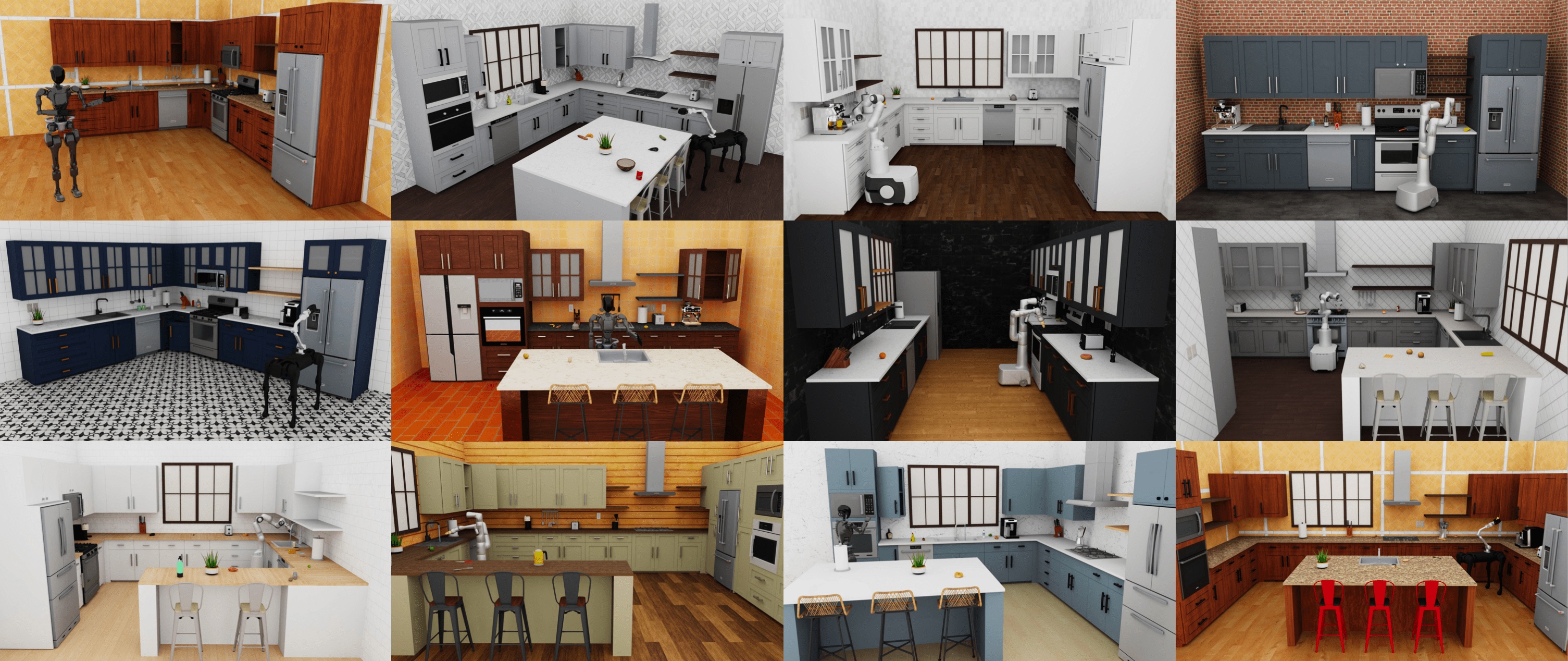
This is the official codebase of RoboCasa, a large-scale simulation framework for training generally capable robots to perform everyday tasks. This guide contains information about installation and setup. Please refer to the following resources for additional information:
[Home page] [Documentation] [Paper]
Latest updates
- [10/31/2024] v0.2: using RoboSuite
v1.5as the backend, with improved support for custom robot composition, composite controllers, more teleoperation devices, photo-realistic rendering.
Installation
RoboCasa works across all major computing platforms. The easiest way to set up is through the Anaconda package management system. Follow the instructions below to install: 1. Set up conda environment:
conda create -c conda-forge -n robocasa python=3.10
conda activate robocasa
git clone https://github.com/ARISE-Initiative/robosuite
cd robosuite
pip install -e .
cd ..
git clone https://github.com/robocasa/robocasa
cd robocasa
pip install -e .
pip install pre-commit; pre-commit install           # Optional: set up code formatter.

(optional: if running into issues with numba/numpy, run: conda install -c numba numba=0.56.4 -y)
python robocasa/scripts/download_kitchen_assets.py   # Caution: Assets to be downloaded are around 5GB.
python robocasa/scripts/setup_macros.py              # Set up system variables.
Quick start
(Mac users: for these scripts, prepend the "python" command with "mj": mjpython ...)
Explore kitchen layouts and styles
Explore kitchen layouts (G-shaped, U-shaped, etc) and kitchen styles (mediterranean, industrial, etc):
python -m robocasa.demos.demo_kitchen_scenes
Play back sample demonstrations of tasks
Select a task and play back a sample demonstration for the selected task:
python -m robocasa.demos.demo_tasks
Explore library of 2500+ objects
View and interact with both human-designed and AI-generated objects:
python -m robocasa.demos.demo_objects
--obj_types aigen.
Teleoperate the robot
Control the robot directly, either through a keyboard controller or spacemouse. This script renders the robot semi-translucent in order to minimize occlusions and enable better visibility.
python -m robocasa.demos.demo_teleop
SPACEMOUSE_PRODUCT_ID in robocasa/macros_private.py.
Tasks, datasets, policy learning, and additional use cases
Please refer to the documentation page for information about tasks and assets, downloading datasets, policy learning, API docs, and more.
Citation
@inproceedings{robocasa2024,
  title={RoboCasa: Large-Scale Simulation of Everyday Tasks for Generalist Robots},
  author={Soroush Nasiriany and Abhiram Maddukuri and Lance Zhang and Adeet Parikh and Aaron Lo and Abhishek Joshi and Ajay Mandlekar and Yuke Zhu},
  booktitle={Robotics: Science and Systems},
  year={2024}
}