> For the complete documentation index, see [llms.txt](https://docs.hello-robot.com/llms.txt). Markdown versions of documentation pages are available by appending `.md` to page URLs; this page is available as [Markdown](https://docs.hello-robot.com/stretch4_docs/working-with-stretch/general_use/keeping-stretch-charged.md).
# Keeping Stretch Charged
Stretch includes a removable battery (LiFePO4 25.6V 20AH) that provides 6-8 hours of runtime given a light level of activity and CPU load. It takes about 3-4 hours to fully charge a battery from a low state of charge.
### Monitoring State of Charge (SoC)
The State of Charge (SoC) indicates the remaining energy available in a battery relative to its maximum capacity, expressed as a percentage from 0% to 100%. It serves as a fuel gauge for Stretch, letting you know how much operating time you have left before needing a recharge.
#### LED Indicators
The head includes 8 RGB LEDs. In addition to indicating the battery SoC, they will slowly strobe if the robot is plugged into its a power source, and flash if the runstop is enabled.
SoC (%)
LEDs
89 – 100
⚪⚪⚪⚪⚪⚪⚪⚪
76 – 88
○⚪⚪⚪⚪⚪⚪⚪
63 – 75
○○⚪⚪⚪⚪⚪⚪
51 – 62
○○○⚪⚪⚪⚪⚪
39 – 50
○○○○⚪⚪⚪⚪
26 – 38
○○○○○⚪⚪⚪
21 – 25
○○○○○○⚪⚪
11 – 20
○○○○○○🟡🟡
0 – 10
○○○○○○○🔴
#### Command Line Tool
You can check the battery status with:
```
~$stretch_battery_check
For use with S T R E T C H (R) from Hello Robot Inc.
---------------------------------------------------------------------
######## Stretch Battery Information ##########
Battery Remaining Capacity: 61%
Battery Voltage: 26.99 V
Battery Health Percentage: 100%
Battery Current Supplied: 2.30 A
######## Adapter Information ##########
Adapter voltage: present
Adapter fault: not present
Adapter (physical switch): connected
######## Charger Information ##########
Battery Charger: Charging
Battery Charger Current: 4.36 A
```
#### System Tray
The Stretch has a System Tray in the Ubuntu Desktop. You can quickly check the SoC using the tray drop-down.
### Plugging In
It is recommended to leave the robot plugged in and charging when not in use, or when the battery is below approximately 30% SoC.
When the robot is first plugged it will beep and the LED Battery Indicators will slowly strobe on-and-off.
#### Power Adapter
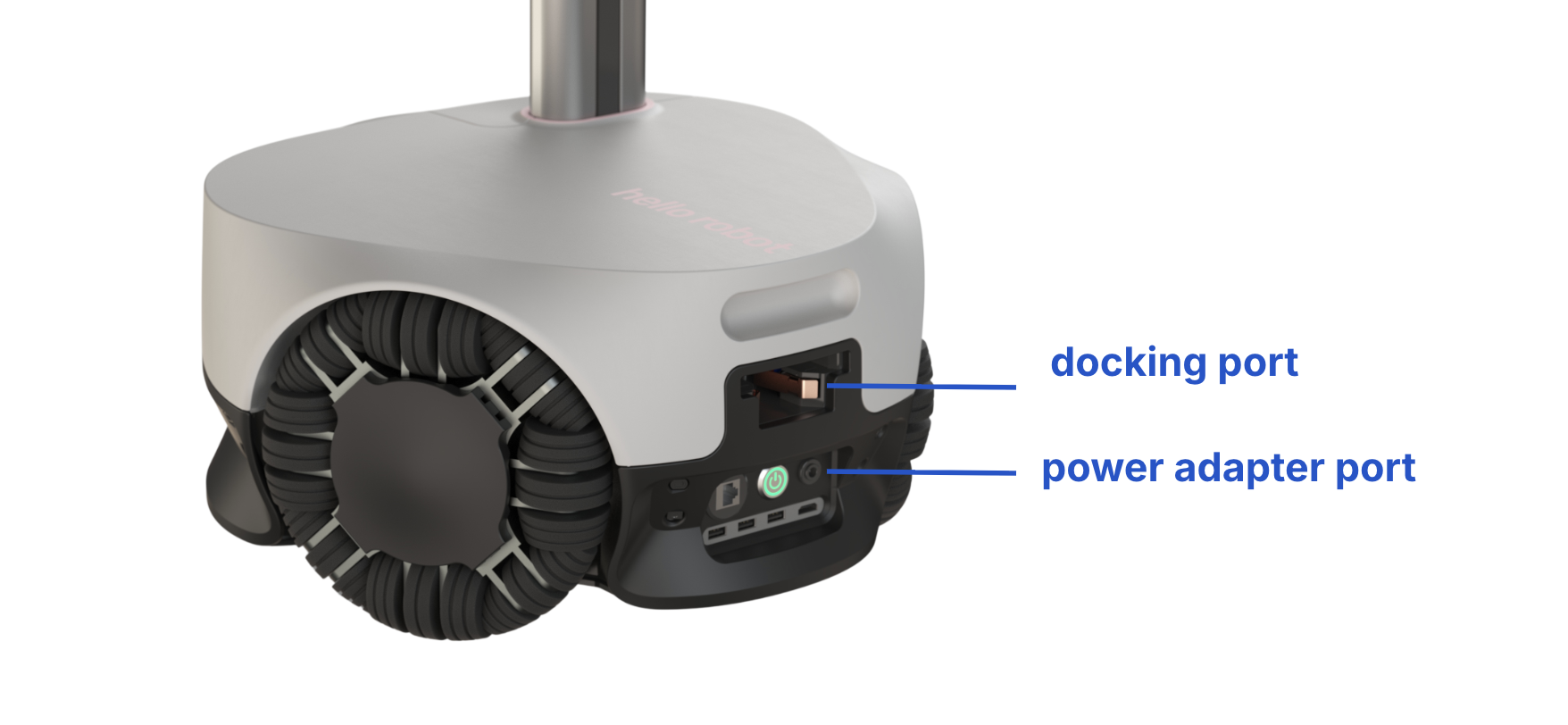
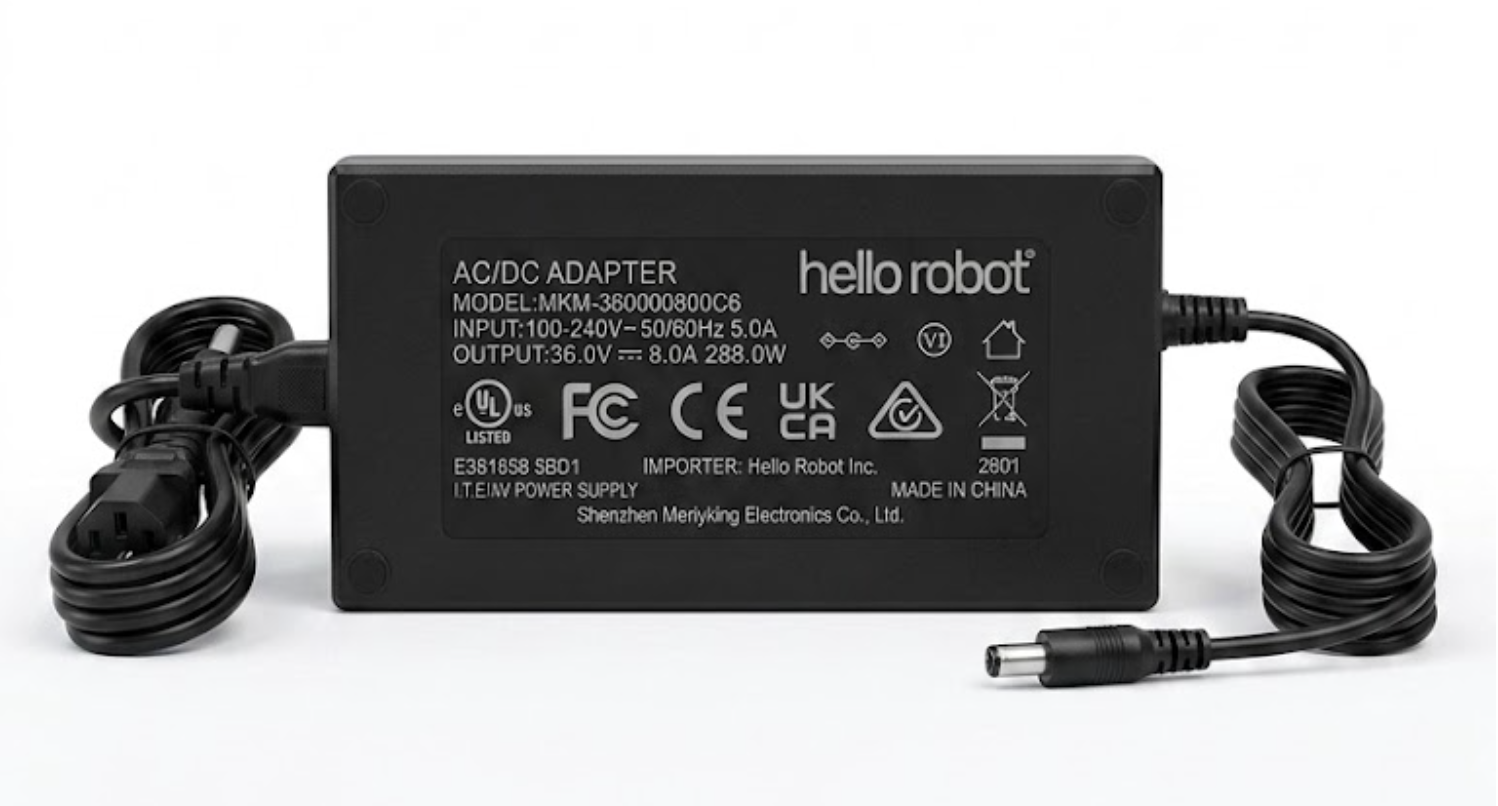
The provided power adapter provides 36V / 8A through a 5.1 mm barrel jack connector.
If you do not hear the beep when plugging in, check that the adapter cords are correctly plugged in.
#### Docking Station
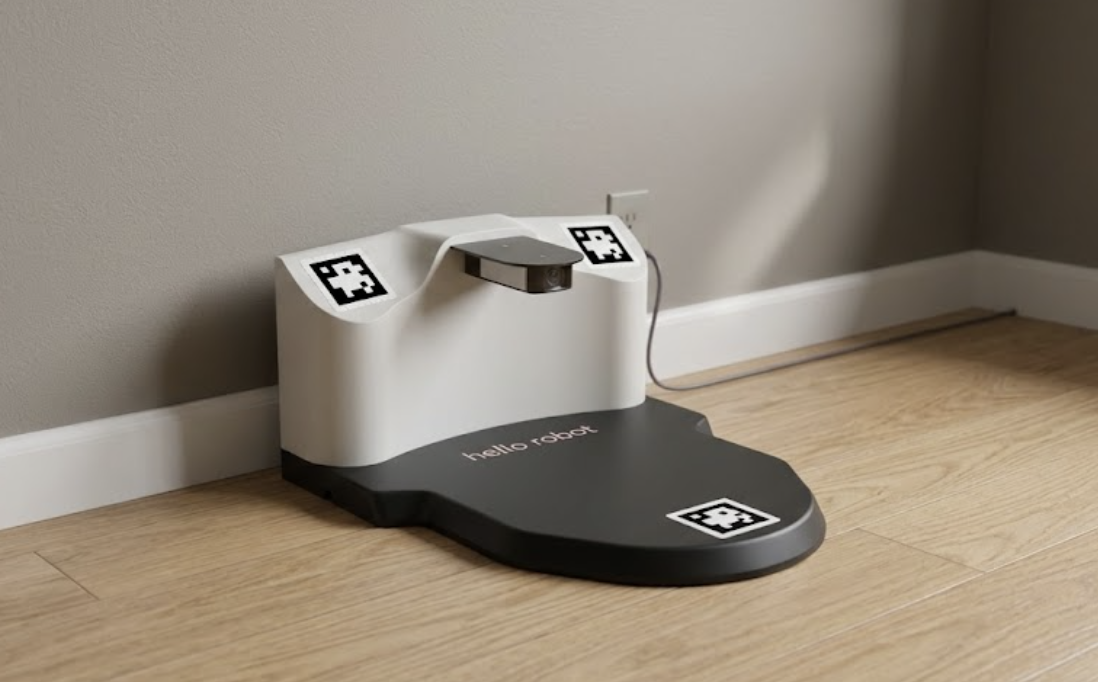
The docking station should be placed up-against a wall and plugged in. Keep the station free of obstacles, cords, rugs, and other items that may impeded docking.
When the robot drives (or is pushed) onto the dock it will engage the contacts of the docking station. When docking, listen for the beep indicating a successful dock.
### Best Practices
#### Battery Swap
The battery can be easily removed to to swamp in charged battery, or to enable easier transport of the robot. Detailed instructions can be found in the [Hardware Guide](#battery-swap)
#### Battery Health
To get the longest life out of your robot’s LiFePO4 battery, avoid draining the battery completely to 0%; instead, recharge it when it drops to below 30%. When charging, use only Hello Robot approved charger.
If the robot will be stored or left unused for an extended period, do not leave the battery fully empty or completely full. Instead, charge or discharge it to about 50% to 60% capacity. Check the battery every 3 to 6 months during long-term storage and give it a top-off charge to prevent it from slipping into a deep-discharge state, which can permanently reduce its capacity and lifespan.
#### Battery Safety
Although LiFePO4 chemistry is inherently safe, stable, and highly resistant to catching fire or exploding, basic precautions are still necessary. The battery's heavy steel enclosure provides excellent physical protection, but never attempt to open, drill into, or modify the box, as damaging the internal cells can still release toxic gasses or cause a short circuit. If the enclosure ever becomes excessively hot, emits an odor, or appears swollen, immediately power down the robot and move it to a safe, isolated area.
#### Battery Shipping
LiFePO4 batteries are classified as Class 9 Dangerous Goods — they must be shipped in compliance with strict transportation regulations (such as IATA, DOT, or IMDG guidelines). Before packaging, discharge the battery to between 20% and 30% of its total capacity to minimize potential energy during transit. Wrap the external connectors securely with electrical tape and pack into a robust, UN-approved outer container with ample non-conductive cushioning to keep it from shifting. Finally, ensure the exterior of the package is clearly labeled with the required Lithium Battery handling marks and documentation before handing it over to a certified carrier.
---
# Agent Instructions
This documentation is published with GitBook. GitBook is the documentation platform designed so that both humans and AI agents can read, navigate, and reason over technical content effectively. Learn more at gitbook.com.
## Querying This Documentation
If you need additional information that is not directly available in this page, you can query the documentation by asking a question.
Perform an HTTP GET request on the following URL with the `ask` and `goal` query parameters:
```
GET https://docs.hello-robot.com/stretch4_docs/working-with-stretch/general_use/keeping-stretch-charged.md?ask=&goal=
```
`ask` is the immediate question: it should be specific, self-contained, and written in natural language.
`goal` is what the user is ultimately trying to achieve, the reason they need the answer. Sharing it helps GitBook give you a better, more relevant answer. A goal is most helpful when it describes the outcome the user wants rather than restating the question. For example, with `ask=how do I create an API token`, a goal like `automate deployments from our CI pipeline` lets GitBook tailor the answer to that use case.
The response will contain a direct answer to the question and relevant excerpts and sources from the documentation.
Use this mechanism when the answer is not explicitly present in the current page, you need clarification or additional context, or you want to retrieve related documentation sections.
.png?alt=media)