> For the complete documentation index, see [llms.txt](https://docs.hello-robot.com/llms.txt). Markdown versions of documentation pages are available by appending `.md` to page URLs; this page is available as [Markdown](https://docs.hello-robot.com/stretch4_docs/working-with-stretch/common_tasks/working-with-stretch-robot-model.md).
# Working with the Robot Model
## End Effector Tools for Stretch
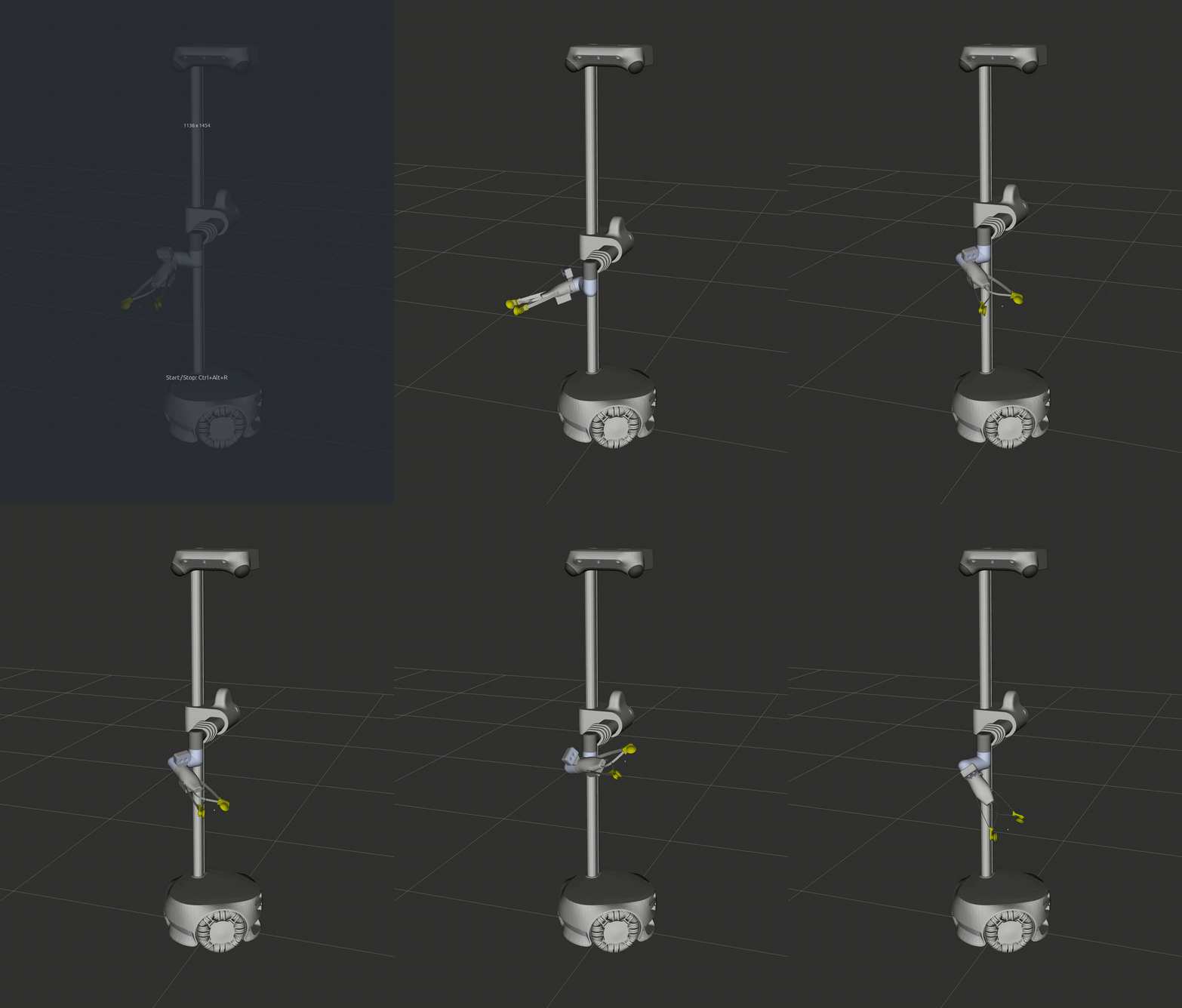
### Standard Gripper
A compliant gripper with suction cup fingertips and calibrated kinematics for free-space opening/closing using the fingertip ArUco markers, allowing for grasp estimation.
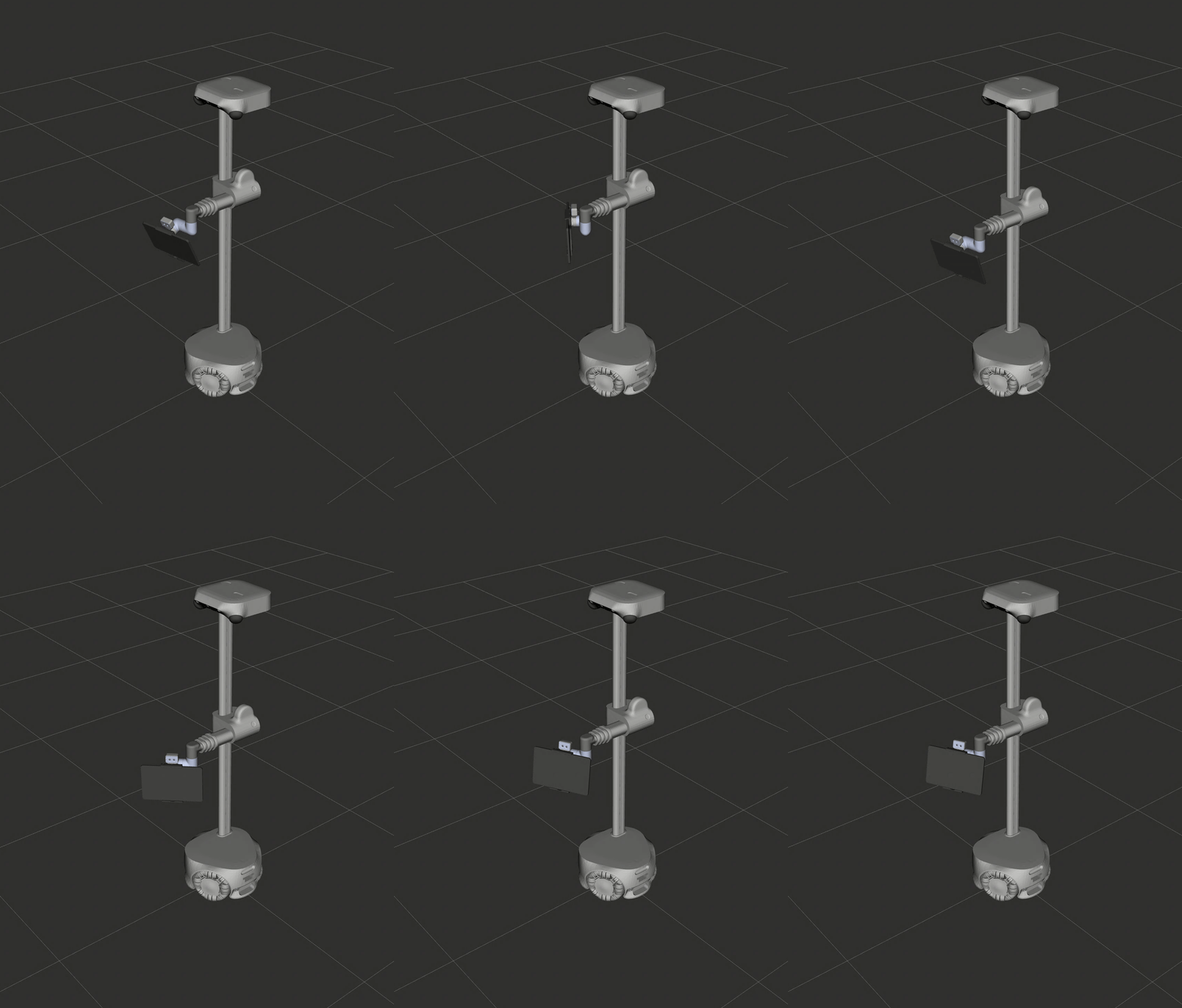
### Tablet
A 13" tablet holder. This tool is often paired with Web Teleop, enabling you to use Stretch as a telepresence robot.
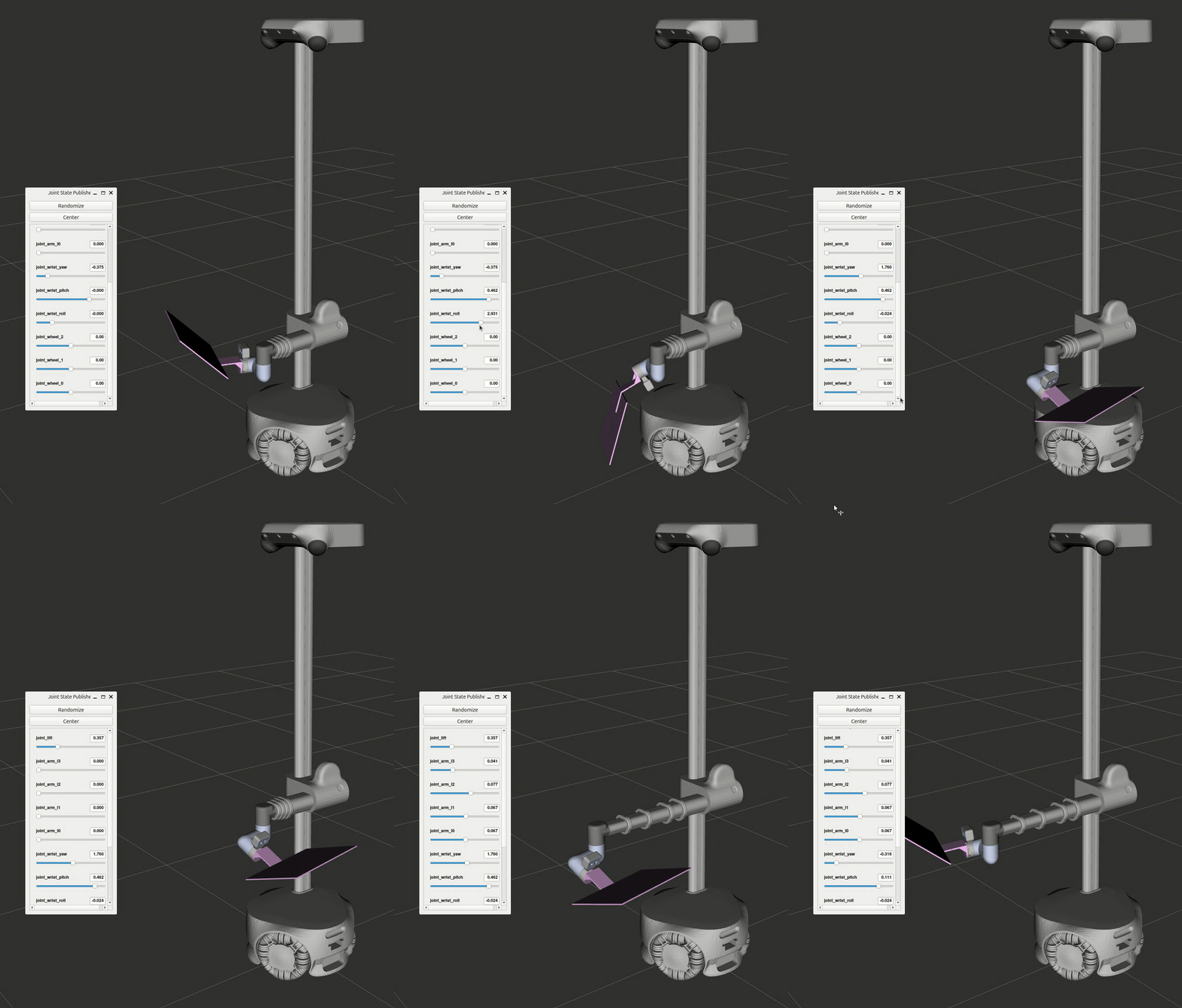
### Calibration Grid
A ChArUco calibration grid with visual and retroreflective fiducials. This robot can wave this tool around and calibrate its own head sensing suite autonomously.
## Adding a New Tool To Stretch
To add new end of arm hardware to Stretch and connect it to the software interface, you will need the mesh files and the URDF. These are typically exported from the CAD assembly or obtained from the manufacturer.
1. In the *stretch\_urdf\_ii* shared model tool directory (e.g. SE4\_tools), create a directory for your tool with the following structure:
```
> {model}_tools
> {tool_name}
> meshes
{tool_name}.urdf
```
2. Process the auto-generated tool URDF:
* Name the tool root link *link\_quick\_connect\_interface*. This is the connection point to the rest of the arm.
* This can be accomplished in a few ways:
* Name the connecting link *link\_quick\_connect\_interface* before generating the URDF
* Rename the existing root link. Ensure all instances of the name are updated.
* Add a new link and joint to the URDF file manually. This will be a "ghost" link with no collision or visual geometry, and the joint will be an identity transform to the existing root link.
* Ex:
```yaml
```
3. Run the tool processing script `process_new_tool.py` and follow the prompts. This will create a config file for auto-generated collision meshes if one does not already exist, generate collision meshes, and update the tool URDF to use them. To change the collision mesh settings, edit the config file and re-run the script.
4. Add the tool to *nominal\_params* in [robot\_params\_SE4.py](https://github.com/hello-robot/stretch_body_ii/blob/develop/src/stretch_body_ii/robot/robot_params_SE4.py#L628).
* Add the tool name to the the *supported\_eoa* list. This must be the same name as the folder in stretch\_urdf\_ii.
* Add a new entry for the tool in the [self\_collision\_mujoco](https://github.com/hello-robot/stretch_body_ii/blob/develop/src/stretch_body_ii/robot/robot_params_SE4.py#L1462) field
* Add the tool name as a new key in the *nominal\_params* dictionary
* If the new tool is not actuated, it can use the existing SE4\_eoa\_wrist\_dw4\_tool\_nil object.
* If the new tool requires a control interface, add a dictionary for the new tool in the EndOfArm section above. Follow the strucutre of *SE4\_eoa\_wrist\_dw4\_tool\_sg4* or another existing end of arm tool.
* Define a new class in the top level *py\_module\_name* and create the class in [end\_of\_arm\_tools.py](https://github.com/hello-robot/stretch_body_ii/blob/develop/src/stretch_body_ii/subsystem/end_of_arm/end_of_arm_tools.py) and a class of the same name with \_Client appended in [robot\_client.py](https://github.com/hello-robot/stretch_body_ii/blob/develop/src/stretch_body_ii/robot/robot_client.py)
* Add the tool actuator under *devices* along with the wrist\_pitch, wrist\_roll, and wrist\_yaw
* *device\_params* expects another dictionary defined in the [EOA joints section](https://github.com/hello-robot/stretch_body_ii/blob/develop/src/stretch_body_ii/robot/robot_params_SE4.py#L42) above the EndOfArm section
* *py\_module\_name* and *py\_class\_name* point to the tool's API
* For ros support, include the *ros* section. *py\_module\_name* and *py\_class\_name* point to the command group that will be used by the ros driver. The standard module is [command\_groups.py](https://github.com/hello-robot/stretch4_ros2/blob/jazzy/stretch_core/stretch_core/command_groups.py).
---
# Agent Instructions
This documentation is published with GitBook. GitBook is the documentation platform designed so that both humans and AI agents can read, navigate, and reason over technical content effectively. Learn more at gitbook.com.
## Querying This Documentation
If you need additional information that is not directly available in this page, you can query the documentation by asking a question.
Perform an HTTP GET request on the following URL with the `ask` and `goal` query parameters:
```
GET https://docs.hello-robot.com/stretch4_docs/working-with-stretch/common_tasks/working-with-stretch-robot-model.md?ask=&goal=
```
`ask` is the immediate question: it should be specific, self-contained, and written in natural language.
`goal` is what the user is ultimately trying to achieve, the reason they need the answer. Sharing it helps GitBook give you a better, more relevant answer. A goal is most helpful when it describes the outcome the user wants rather than restating the question. For example, with `ask=how do I create an API token`, a goal like `automate deployments from our CI pipeline` lets GitBook tailor the answer to that use case.
The response will contain a direct answer to the question and relevant excerpts and sources from the documentation.
Use this mechanism when the answer is not explicitly present in the current page, you need clarification or additional context, or you want to retrieve related documentation sections.